Intermediate Bryce

These tutorials are from the Intermediate Bryce course I taught at Eclectic Academy. If you would prefer to have an instructor as you go through them, you can still have one there. Vic Haynes is not teaching the course, and it's only $20 for the full six weeks.

However, in case you want to go it on your own, I'm providing all the material from the lessons here.

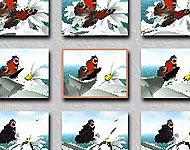
Lesson 1; Stroyboard (flower not included in lesson.)

Lesson 1; Animation Basics

  • Simple Theory (why animation works.)
  • Using the Timeline
  • SMPTE time
  • Animaiton Trajectories
  • Preview Play controls
  • Bryce Storyboards
  • Keyboard Shortcuts
  • Adding keyframes using Auto Key or manually
  • Removing keyframes
  • Animaton Setup dialog
  • Editing Trajectories - Points in Space
  • Aligning Objects to Trajectories
  • Trajectory Options (One-shot, Repeat, Pendulum, and Circular)
  • Linking; Parent/Child relationships
  • Editing Trajectories - Changing the Tension, Continuity, and Bias of points
  • Creating Paths from Trajectories
  • Placing Objects on Paths
  • Editing Paths
  • Basic Tracking
  • Rendering Animations - Butterfly Animation
  • Using Animation Capabilites in Still Pictures
  • Download Lesson 1 .sit file (1 MB)
  • Download Lesson 1 .zip file (1.2 MB)
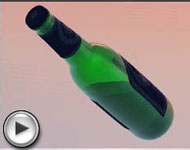
Lesson 2; Liquid movement in tilting bottle.

Lesson 2; Continuting Animation

  • Setting up Default Document
  • In Depth exploration of Linking - Propogation Options
  • In Depth exploration of Tracking - Orientation Options
  • Changing Definition Coordinates for Orientation Flexibility
  • Advanced Motion Lab
    • Parts of AML
    • AML Options
    • Timeline in the AML
    • Hierarchies
    • Hiding Objects
    • Time Mapping Editor - Editing the Curve
    • Duplicating Keys
    • Removing Keys
    • Scaling Keys
    • Editing Keys
  • Using what we have learned - Bouncing Ball animation
  • Squash and Stretch
  • Time Mapping Curve Presets - Pendulum animation
  • Null Objects
    • For Camera Tracking
    • For Light Tracking
    • For Place Holders
  • Animation using Booleans - Liquid in a bottle
  • Download Lesson 2 .sit file (2 MB)
  • Download Lesson 2 .zip file (2.2 MB)
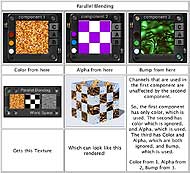
Lesson 3; Parellel Blending-one of many blending modes.

Lesson 3; Demystifing the Deep Texture Editor

  • Definition of Textures (as opposed to Materials)
  • Entering the DTE
  • Parts of the DTE
  • Texture Channels; Color, Alpha, and Bump
  • Noise Dialog
  • Noise Editor
    • Noise Types
    • Octaves
    • Octave Blending Modes
    • Noise Frequency and Direction
    • Noise Dimensions
  • Phase Dialog
  • Phase Editor
  • Component Color
    • Color Palette
    • Color Blending Modes
    • Reading Color Thumbnails
  • Filter Dialog
    • Filter Graph
    • Using the Graph to Invert the Alpha
    • Filter Types
  • Using Multiple Components - Blending Modes
  • Using the Combination Palette
  • DTE Walk-Through Practice
    • Soap Bubble Texture
    • Partially Submerged Stone Texture
  • Appendixes
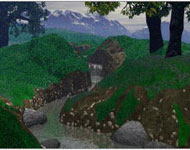
Lesson 4; Stream Scene used to practice DTE.

Lesson 4; Practice using Stream Scene

  • DTE Walk-Through Practice
    • Tree Bark with Moss on One Side Texture
    • Rain Drops on Water Surface Texture
    • Pebbles on Stream Bottom Texture - Building a texture from scratch
  • Using the Terrain Editor and Boolean operations to make a stream bank
  • Making a small stepped waterfall
    • Using a duplicate terrain and the Terrain Editor for the Object
    • Using the DTE to make a Waterfall Texture
    • Setting the Scene
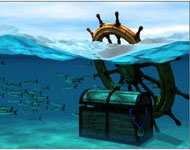
Lesson 5; Half Submerged Scene

Lesson 5; Earth, Air and Water

  • Earth - Terrain Tricks
    • Tiling Terrains to cover Large Areas
    • Using Clipping Planes as Masks in the Terrain Editor
    • Using the Pictures Tab
      • To use Different Materials on edited Duplicates
      • To cause a Picture Terrain to respond to the contures of another Terrain
    • Using Duplicate Terrains to make snowbanks, etc.
    • Marking Elevation Levels in the Terrain Editor - using this technique to make a high waterfall
    • Using Photoshop Filters in the Terrain Editor
    • Using the DTE to create Terrains
  • Air - Cloud Tricks
    • Changing Cloud Types
    • Editing Clouds in the DTE
    • Creating Clouds as Objects
      • Surface Texture Cloud Spheres
      • Volume Clouds
    • Animating Clouds from inside the Sky Lab
  • Water
    • Ocean Surfaces from Terrains
    • Making a Wake from a Terrain
    • Putting Surf around an Island using Duplicate Terrains
    • Underwater Scenes
      • Reducing the Visibility
      • Creating Caustics
      • Creating Schools of Small Fish
      • Making the Water Surface Visible
    • Half Submerged Scenes
      • Creating a Hole for the Camera
      • Using what we have learned about Ocean Surface and Submerged Scenes
  • Download Lesson 5 .sit file (294 K)
  • Download Lesson 5 .zip file (300.5 K)
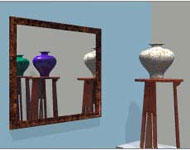
Lesson 6; Catching a Reflection

Lesson Six; Tricks to Set Up Scenes, Odds and Ends

Bryce5 is a registered trademark of Corel.

If this page has come loose from the frame it's supposed to be in, or is in someone else's frame, just click here.

If you have a question, write to me and ask it!

Everything on this site is copyright © Robin Wood; all rights reserved. Please do not use anything without permission. To get permission, write to Robin, and explain what you intend to use it for.